SENSORLOGIX · LIVE DETECTION AND ALERTS
See it live. Prove it afterward.
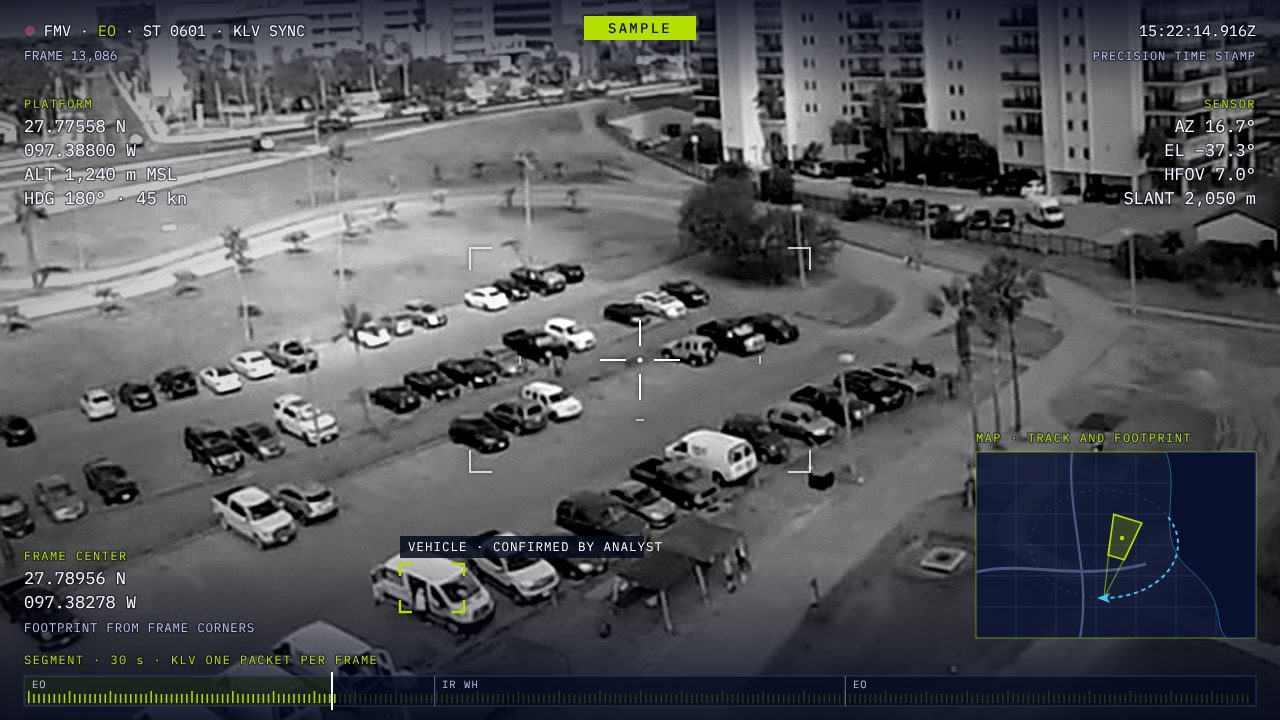
Sensors in the field watch the zones you care about. When something appears, crosses a line or stays too long, the people who need to know hear about it, with a short clip, the location and how sure the system is.
It works beside your sensors’ own consoles, as a second set of eyes across all of them. Each alert updates everywhere it went, then it’s kept, traced and reported like every other record.
TARGET: 2 SECONDS OR LESS FROM FRAME TO ALERT, ON THE BOX
BESIDE YOUR CONSOLES
A second set of eyes across all your sensors
It works alongside your sensors’ own consoles, not in place of them. A site with no console of its own can work in ours.
- Across every sensor and vendor. Cameras, radars, ground sensors and drones from any maker, watched at once.
- The same rules everywhere. One set of zone rules on every sensor, whoever made it.
- What needs a second look. It tells your operators which alerts need their attention, and how sure each one is.
- Beside your procedures. It supports your operators and doesn’t replace their procedures. Your sensors’ own consoles stay in charge of them.
WHAT IT DETECTS
Turn on only the classes you need
Your organization chooses its classes. A class stays hidden until it has met its measured accuracy bar.
See the other four familiesSee less
An identity a vessel or aircraft broadcasts about itself, through AIS, ADS-B or Remote ID, can be faked, so on its own it counts as unverified.
CONTROLLED ZONES
Draw a zone, set when it applies, choose what raises an alert
- A class is present, with a minimum count or time if you want one.
- Something crosses a line, in a set direction.
- Something stays too long, past the dwell time you set.
- Something comes close, within a set distance of a point or an asset.
- Something moves too fast, or its track disappears.
- Something doesn’t report, such as an expected patrol or a sensor.
These rules are fixed logic that runs on tracks. A model detects objects; it never decides whether a rule fired.
ILLUSTRATION
When it applies
A zone can apply at night only, on weekends, or for one mission.
Test before you trust it
Run a rule against the last hour of tracks before you turn it on.
Pushed to the box
Zones are drawn in the portal and sent to each collector box in the field.
HOW FAST
Two paths, one record
The speed track is off by default. You turn it on for the zones and missions that need it, because it uses GPU time and raises more false alarms.
0 s
Frame
A camera or sensor sees it
≤ 2 s
Alert
Target on the box, speed track on
≈ 5 s
Update
Target: a follow-up reaches everyone
60 s
Track facts
Target: in search, watches and maps
≈ 2 min
Video
Target: detections from a closed segment
Everything the speed track sees also goes through the standard path, so it’s checked, reviewed and traced like any other data. Targets, not guarantees: the time from frame to alert depends on the sensor, the link, the hardware and how busy the box is.
HOW SURE IT IS
Every alert says how sure it is
- Out without waiting, tagged. Alerts go out without waiting for a person, with their status, and your people decide how to act on an unverified one.
- Hold what should wait. Your packs can hold an alert for an operator, per zone and class: person alerts wait while plate and fire alerts go straight out.
- One alert, updated everywhere. When a second sensor or a person weighs in, the same alert updates everywhere it went, with a target of about 5 seconds.
- A rejection travels as far. Everyone who had the alert gets the rejection.
- Reports stay proven. A number in a report still needs a person to confirm it.
SECOND LOOKS
A second look, and a second seat when you can’t wait
FIXED CAMERAS
Hold a camera for a short time
An authorized person takes a fixed camera’s view for a short time. Its own console keeps priority, and the hold ends by itself.
DRONES
Ask the pilot to look
The alert goes to the drone’s operator or pilot as a TAK marker or request, and they decide.
DRONES
Cue the gimbal
An operator cues an unarmed drone’s camera through a ground station on the same local network, where the vendor allows it. The flight path stays the pilot’s.
The second seat
A short hold on a fixed camera, for when an operator can’t wait. It’s the only control SensorLogiX has, and it’s limited on purpose.
- The camera’s own console always wins. If it moves the camera, the hold ends at once.
- It ends by itself, when time runs out, when you leave, or when your console stops answering.
- Never across a boundary. No hold crosses sync, removable media or a cross-domain device. Only its record does, afterward.
- Off until you turn it on. Camera by camera, by an admin, with every step on the record. A site that wants no control path at all gets a build without one.
- It depends on the camera. A camera that can’t report its own console moving it gets look-here requests only.
ONE HOLD PER CAMERAILLUSTRATION
Who comes first
- 1The camera’s own consoleAlways first. If it moves the camera, your hold ends at once.
- 2A console at the siteBefore any console at the rear.
- 3A rear consoleOnly if the site allows it, over a fast enough link.
HOLD · MAST 3 · 0:42 LEFT
It ends by itself when:
Time runs outYou leaveYour console stops answeringThe camera’s own console moves itThe system never flies a drone, drives a vehicle or changes a mission.
SENSORS
Works with the sensors you already have
Each kind connects the way it already talks. Sensor health is part of the picture.
See the other four kindsSee less
- Heartbeats. Every sensor and box reports in, and a missing one raises an alert.
- Tamper and battery. Tamper and low-battery events arrive like any other.
- Coverage. A coverage map shows the gaps, and a zone that loses its cover says so.
WHERE ALERTS GO
To the people who need to know, in the tools they use
TAK
On field users’ devices
Alerts appear on TAK devices through endpoints your admin registers, and update there.
DISPATCH
In your dispatch system
Signed webhooks for raised, changed and withdrawn alerts.
PUBLIC ALERTS
To the public, when a civil agency needs it
CAP alerts, which your pack can hold for release.
THE PORTAL
In the operations console
A review queue, search, maps, a video wall and reports.
See the consoleEach alert links back to its evidence. Everything is logged, signed and traceable, and data leaves only through your organization’s dissemination rules and markings.
IN THE FIELD
Detection runs at the sensor, beside what you have
- Beside what’s there. A box installs beside your existing system with no rewiring, and reads a camera’s secondary stream, never one its own console needs. If a box fails, you lose its alerts, not your sensors’ own control.
- Keeps working with the link down. Detection runs at the sensor, so a lost link doesn’t stop it. The box keeps logging, still alerts local TAK with what your packs let out at once, and catches up when the link returns. An alert held for an operator stays held.
- Video stays on the box. A 72-hour rolling buffer, unless someone is watching or an alert keeps a clip.
- Two sizes of box. One for a mast or a vehicle, one for a station with many cameras. Detection runs when something moves.
- A forward node for whole sites. The whole platform at a forward site, working for days with no connection, then syncing with the rear.
ACCURACY
Measured on real footage, tuned at your site
- Bars from real footage. Licensed or public thermal, night and animal footage sets each class’s bar. Synthetic test frames don’t predict the field.
- Shadow mode first. Each site runs two to four weeks with alerts held and an operator marking them, to tune it before go-live.
- False alarms, measured. Animals, wind, shadows and heat are the usual causes. Zone schedules, per-class bars and false alarms per camera per day are built in.
- Your footage stays yours. It stays in your organization, measures accuracy, never trains a model and isn’t shared with other customers.
- Training covers the tag. What Unverified means to a patrol is part of going live.
Why there’s no single accuracy figure on this page: accuracy depends on the site, the sensor and the class, so each site’s is measured in shadow mode and shown per class, with precision and recall, in the console’s reports.
HOW LONG THINGS ARE KEPT
Short by default
Set in your records pack. Your organization can shorten any of these.
RULES BY USER GROUP
The same engine, under each group’s rules
Border patrol sits under law enforcement, with anonymous person tracks kept inside the zone, a pack of its own, and retention set in the records pack.
See border and perimeter securityWHAT IT DOESN’T DO
It informs people. It doesn’t act for them.
- No live face recognition, and no live identification of people by gait, body or clothing. Face search stays after the fact, with legal authority and two-person approval.
- Not a sensor control system. Your sensors’ own consoles stay the primary control. Ours is a limited second seat: a short hold on a fixed camera, which the camera’s own console can take back at once.
- No targeting. It informs people. It doesn’t feed targeting or weapon systems, and it never flies a drone, drives a vehicle, changes a mission or fires anything.
- No interception of phones or communications.
- No sonar processing, no Link 16 directly and no TAK server of its own. Link 16 arrives through your gateway as Cursor on Target, and alerts go to your TAK.
BUILD ON IT
Alerts in your own systems
DEVELOPERS
Everything here is an API first
Routes for classes, zones, alerts, sensors and boxes, a live alert stream with replay, webhooks, SDKs and read-only assistant tools.
SensorLogiX for developersEQUIPMENT MAKERS
Four ways to connect a device
Open standards, a sensor profile, the sensor API, or on the device, with a conformance tool and simulators.
For equipment makersBring one zone and the sensors that watch it
We’ll map its rules, connect the sensors and run it in shadow mode at your site.